I make small tools.
Everything here started as something I needed myself, and stayed small enough to keep maintaining. Source, docs and downloads are linked on each one.
- Python
- TypeScript
- Go
- Flutter
- React
- Hono
- Astro
- Cloudflare
- Terraform
An unofficial Android client for Pi-hole. Check your server status and activity from a clean dashboard, and pause or resume blocking with a single tap.
Detailed charts, ranked statistics and live query logs help you understand network activity. You can also manage allowlists, blocklists and adlist subscriptions, then update gravity from the app.
The app supports multiple servers, uses the Pi-hole v6 API while remaining compatible with core v5 features, and provides a Material You interface for phones and tablets.

A VS Code extension that renders named code blocks in the Markdown preview. Write a file name after the language in a code fence and it appears as a caption above the block.
The rendering is done by markdown-it-named-code-blocks, a markdown-it plugin published separately on npm. The same output can be produced outside the editor, anywhere markdown-it runs.
```js:src/app.js
console.log("hello");
```tsutsu3.markdown-named-codeblocksVS Code extensionmarkdown-it-named-code-blocksmarkdown-it plugin
npm i markdown-it-named-code-blocksFinds URLs and email addresses in plain text, with Unicode support. A port of the JavaScript linkify-it, and the autolinking engine behind markdown-it-py.
It catches bare hosts like example.com that have no scheme. The upstream test suite is ported as-is, so behaviour matches the original.
There is a live demo if you want to try it in the browser first.
from linkify_it import LinkifyIt

linkify = LinkifyIt()

linkify.match("Site tsutsu3.com")
# [linkify_it.main.Match({
#     'schema': '',
#     'index': 5,
#     'last_index': 16,
#     'raw': 'tsutsu3.com',
#     'text': 'tsutsu3.com',
#     'url': 'http://tsutsu3.com'
# })]
pip install linkify-it-pyA command-line tool that reads the history of your Git repositories and shows the weekdays and hours when commits happen. Give it one or more directories and it finds every repository under them.
It can produce a terminal heatmap, a static SVG for READMEs and slides, CSV data, or a self-contained HTML report that works offline. In the HTML report, you can switch repositories, authors, years and views in the browser.
See the demo report for an example of the HTML output.
$ git-when .
$ git-when ~/work ~/src --format html --out git-when.html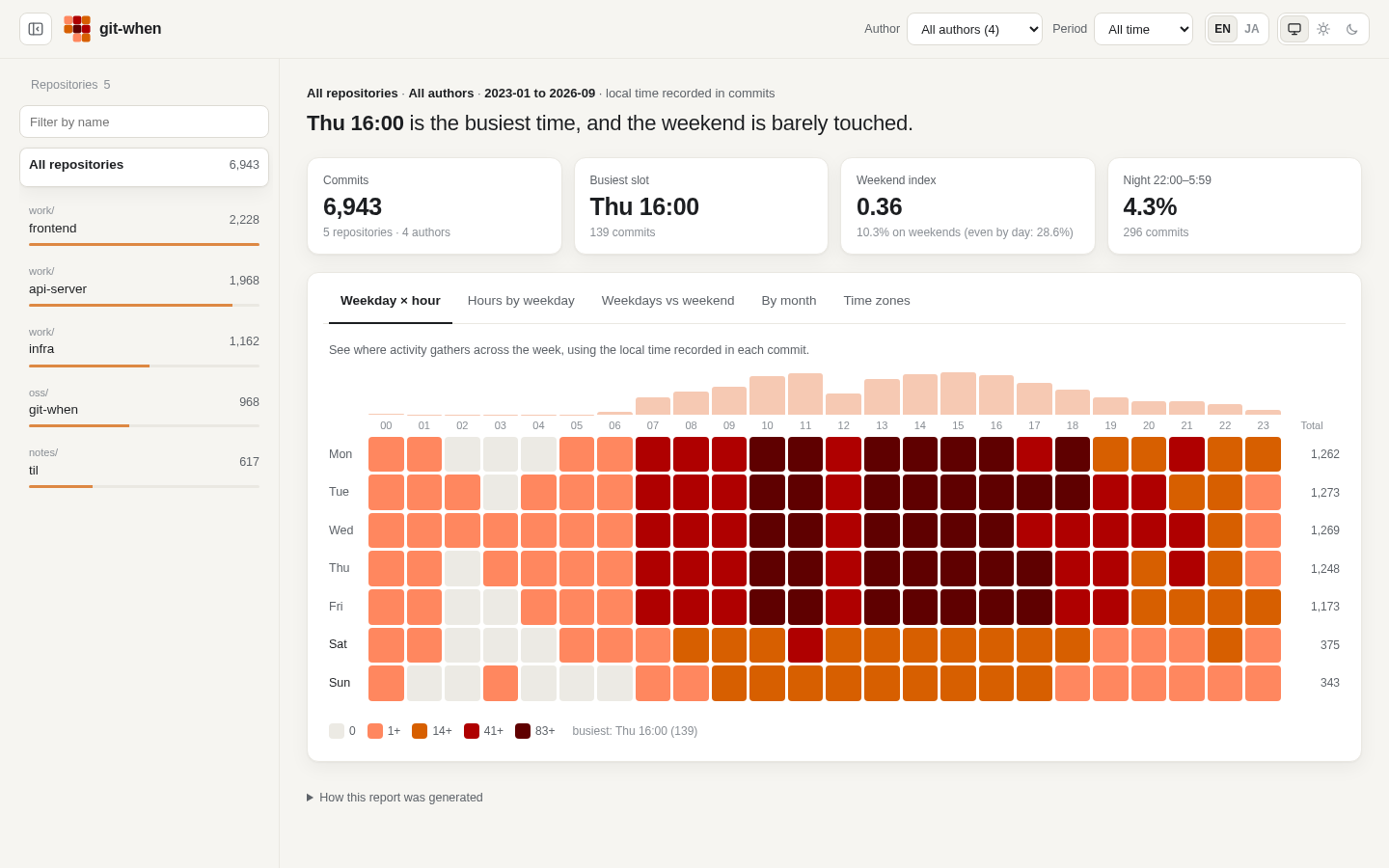
wget -qO- https://raw.githubusercontent.com/tsutsu3/git-when/main/install.sh | sh